Prerequisites

  • A Claude account on a Max, Team, or Enterprise plan
  • A SegmentStream account with access to at least one project

Installation

1

Open the plugin browser

Click Customize in the left sidebar, then click Browse plugins.
Claude Cowork sidebar with Customize selected and Browse plugins button highlighted
2

Add the GitHub marketplace

In the plugin browser, switch to the Personal tab. Click the + button and select Add marketplace from GitHub.
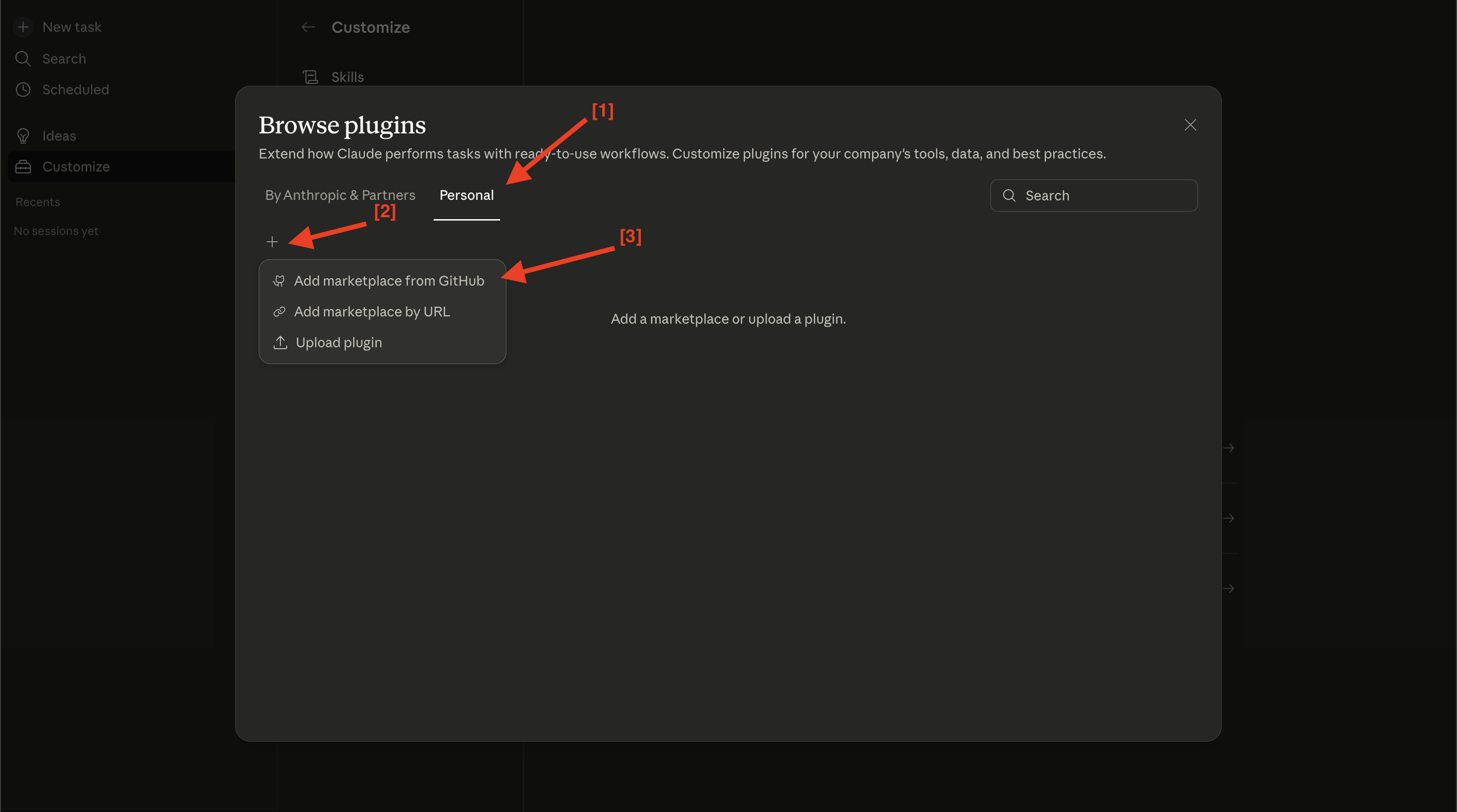
Browse plugins dialog showing Personal tab with Add marketplace from GitHub option
3

Enter the repository URL

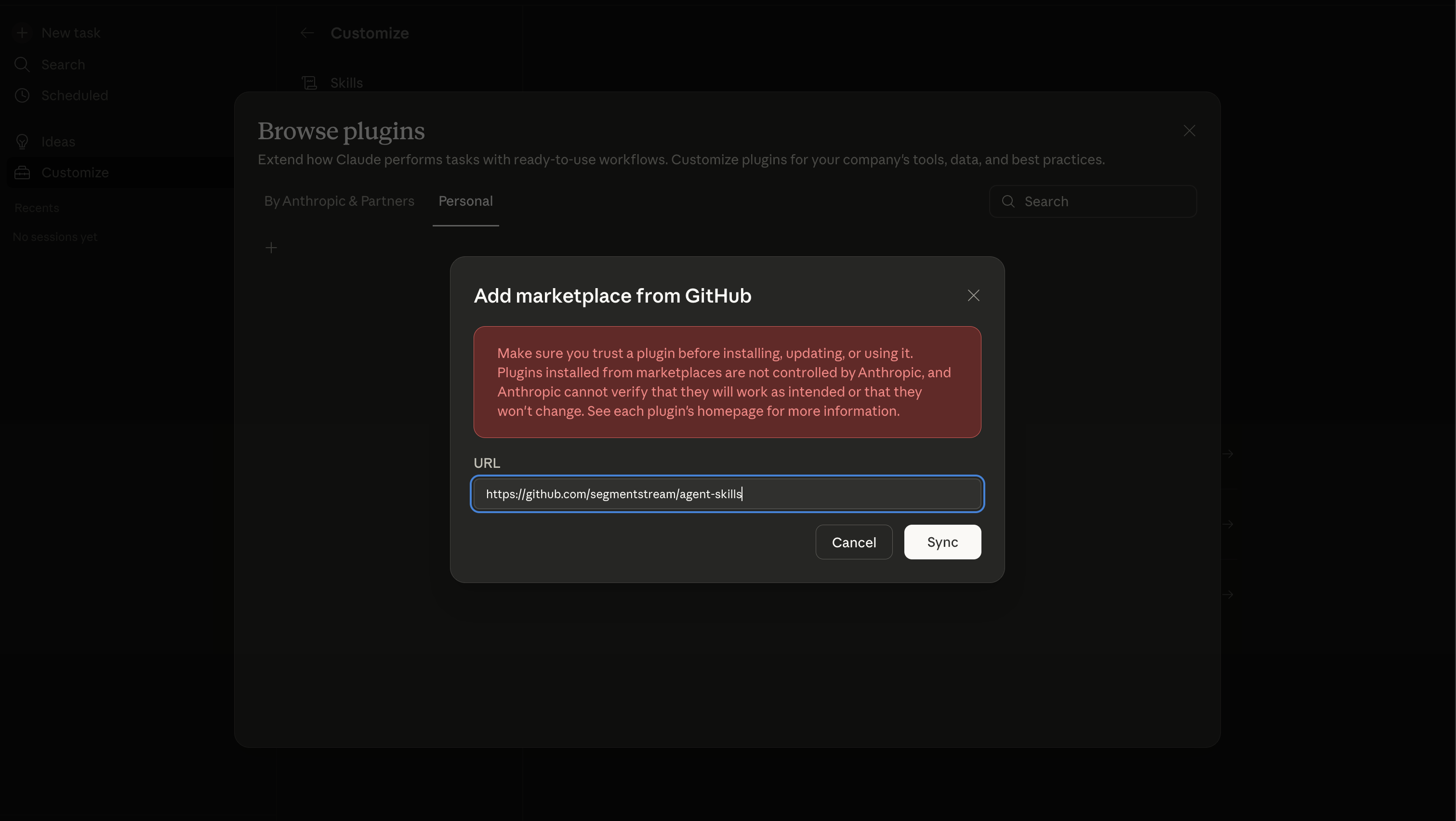
Paste the repository URL and click Sync:
https://github.com/segmentstream/agent-skills
Add marketplace from GitHub dialog with the SegmentStream agent-skills repository URL
4

Install the plugin

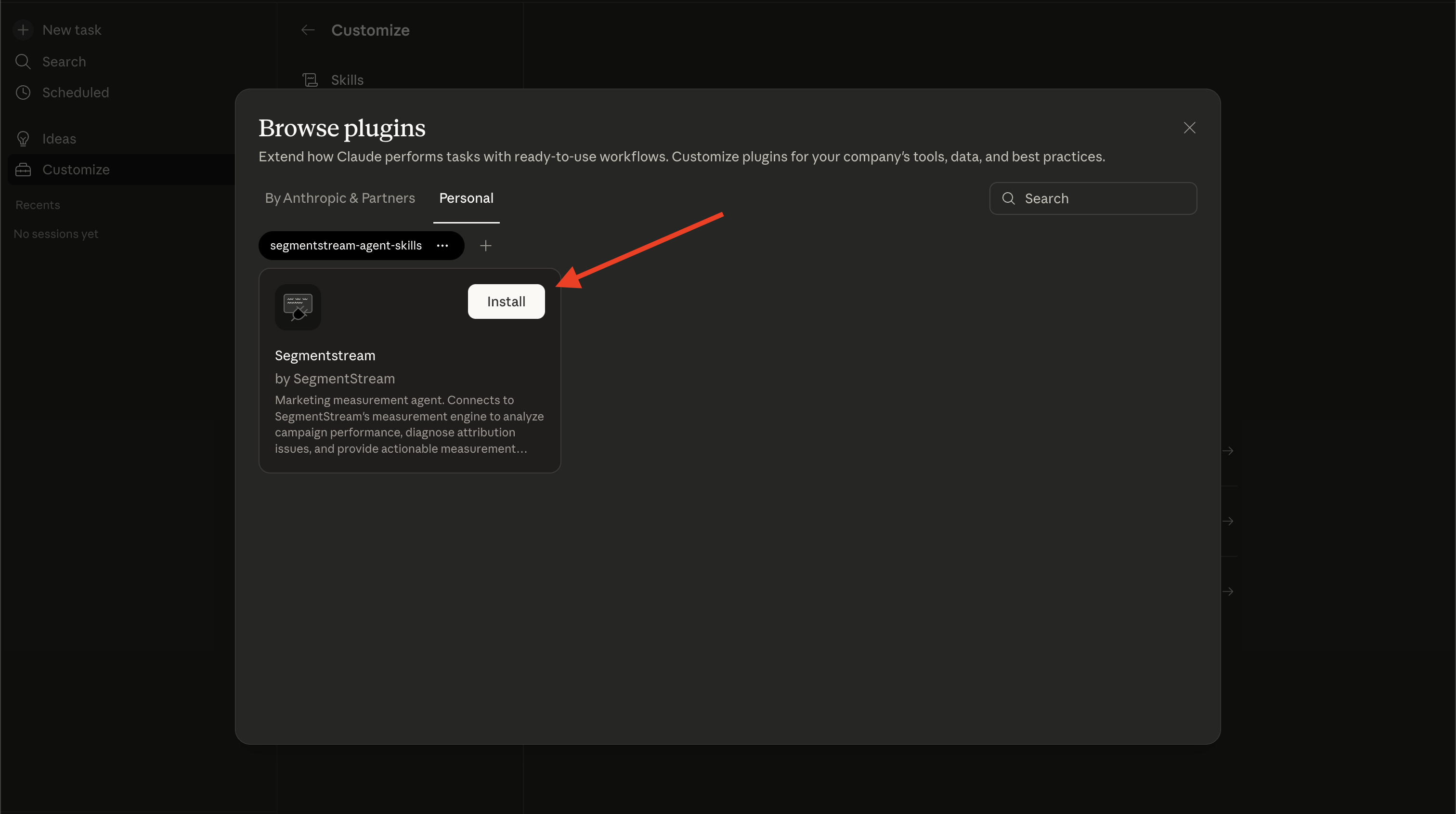
After syncing, the SegmentStream plugin card appears. Click Install.
Plugin card showing Segmentstream by SegmentStream with Install button
5

Connect to SegmentStream

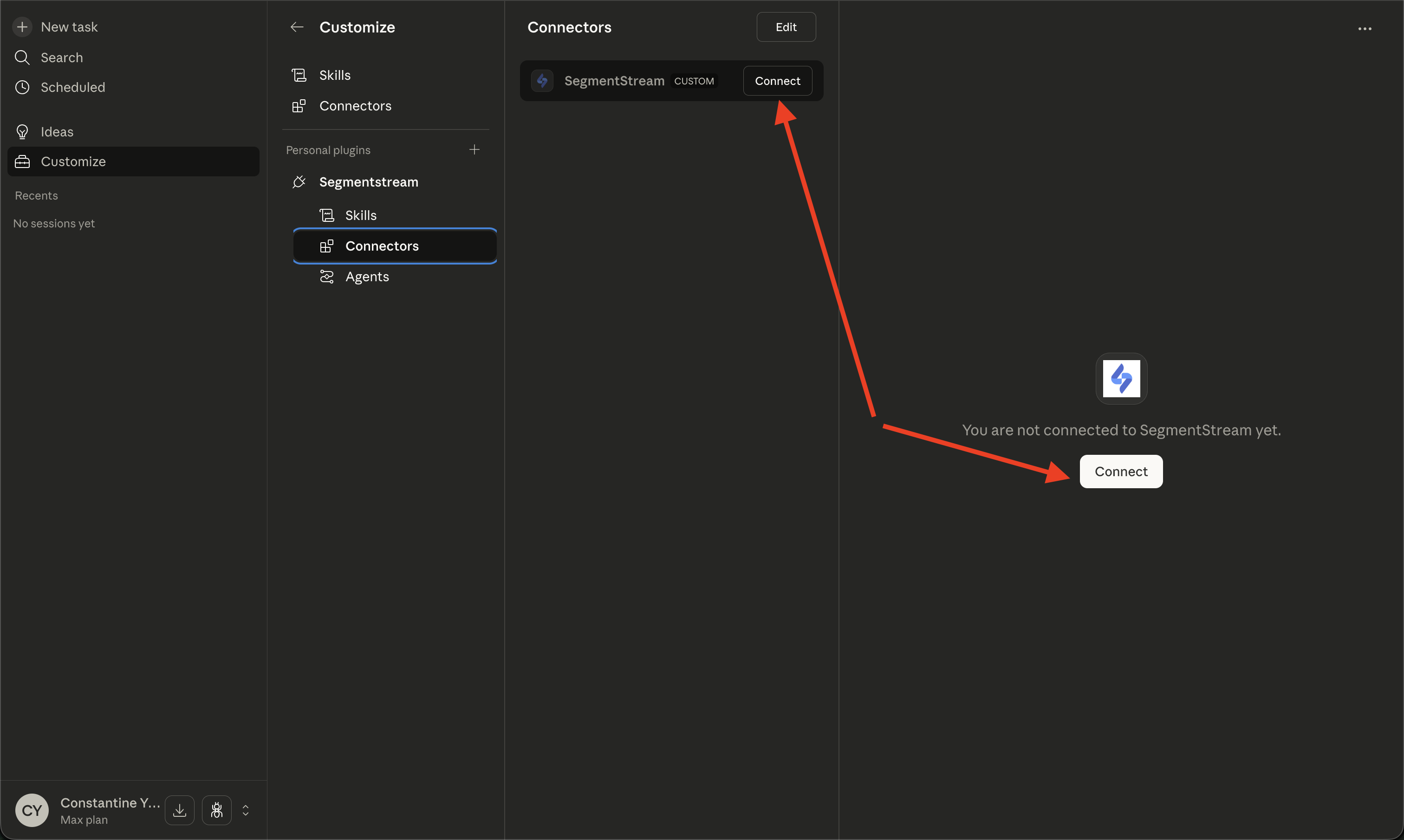
Go to Connectors in the left sidebar under the Segmentstream plugin. Click Connect to authenticate with your SegmentStream account via OAuth.
Connectors panel showing SegmentStream connector with Connect button
Once connected, start a new task and ask the agent about your marketing data.

Update the plugin

The plugin is under active development — new skills, agents, and measurement capabilities are added regularly. In the plugin browser, click the menu on the segmentstream-agent-skills marketplace and select Check for updates. You can also click Update in the top-right corner of the plugin detail page.
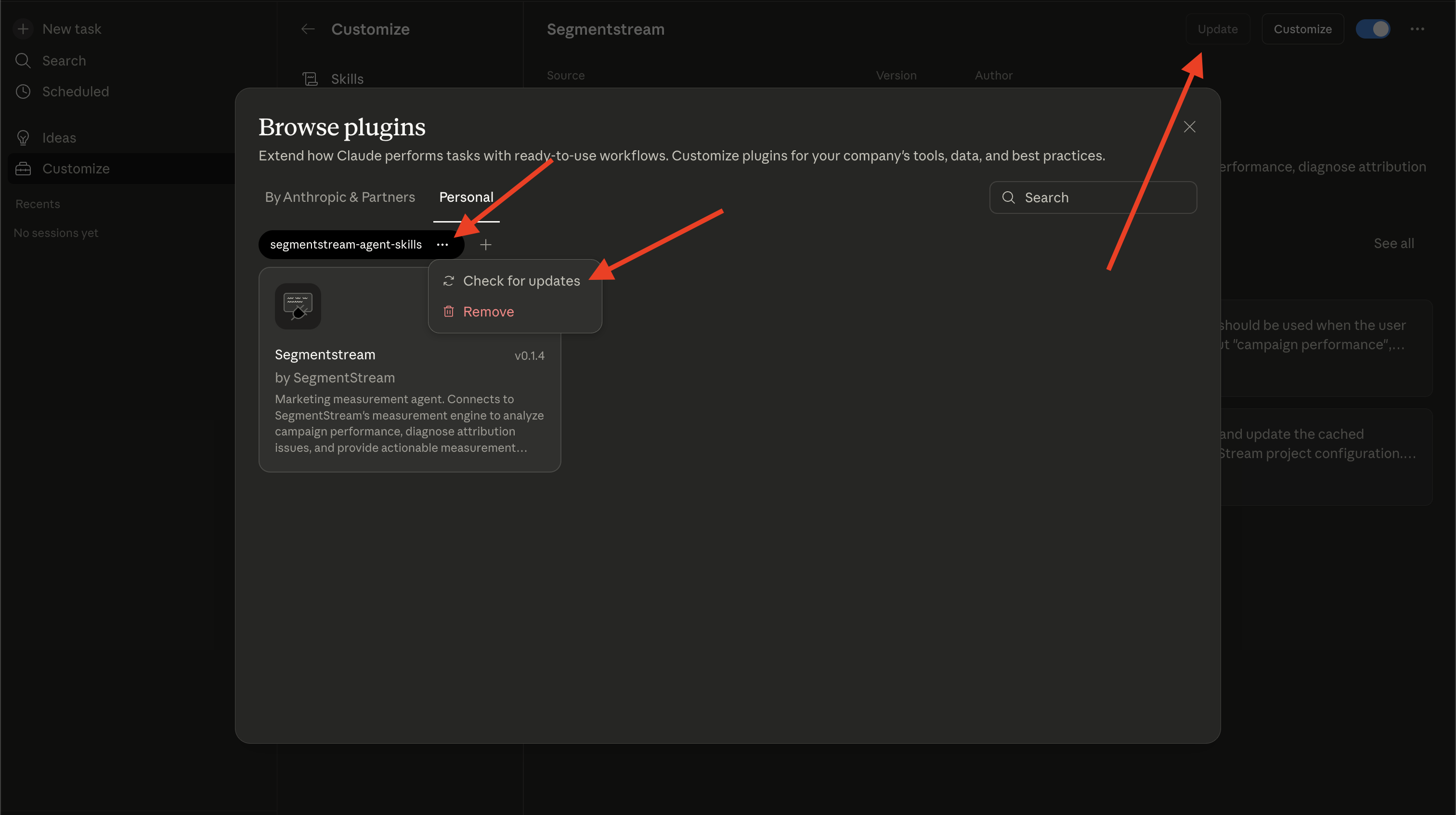
Plugin marketplace showing Check for updates option in the context menu and Update button in the top-right corner

Next steps