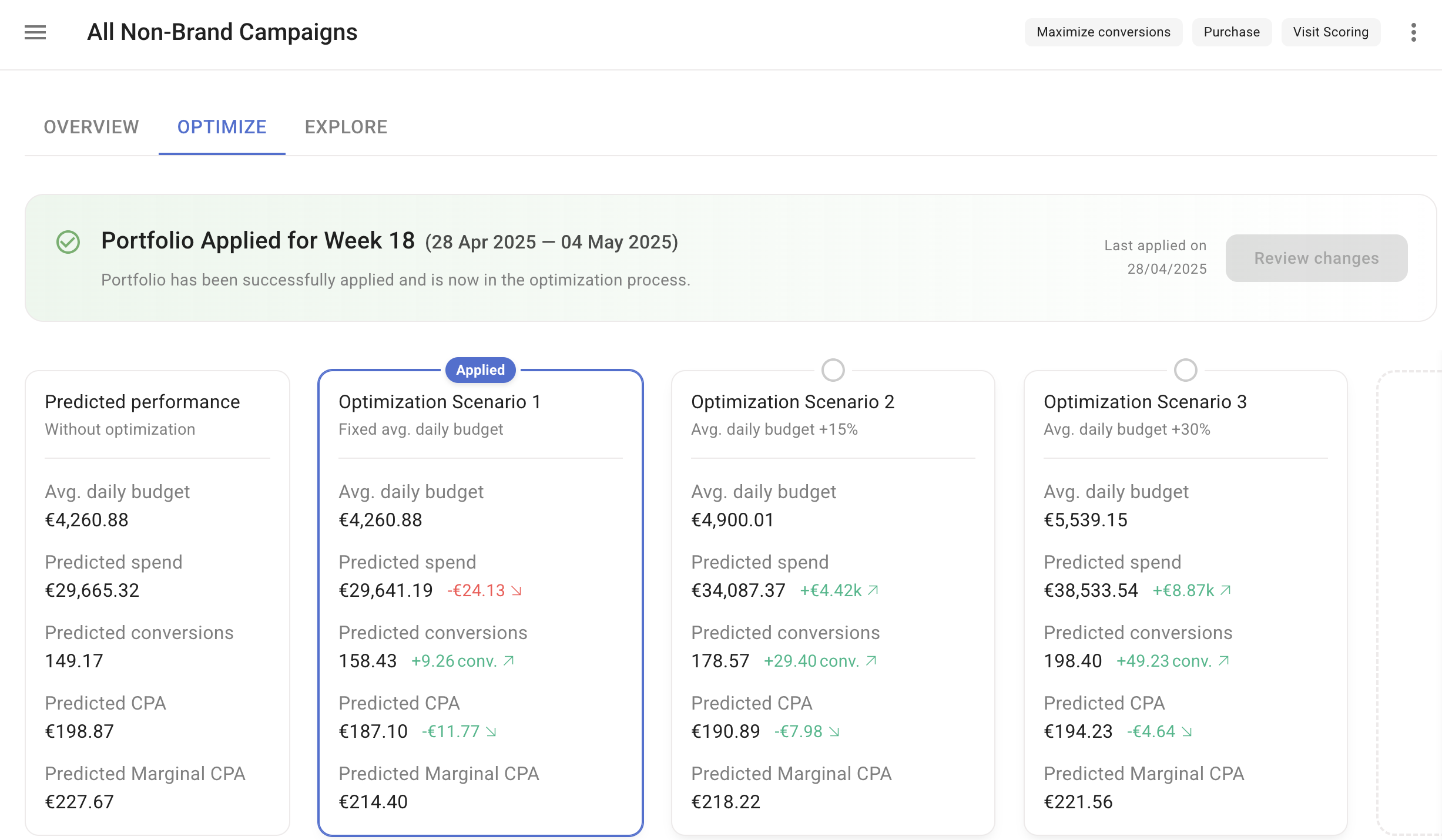
Details bar
The bar displays the portfolio name and its settings. Click the More Options icon on the right to edit or delete the portfolio.Header
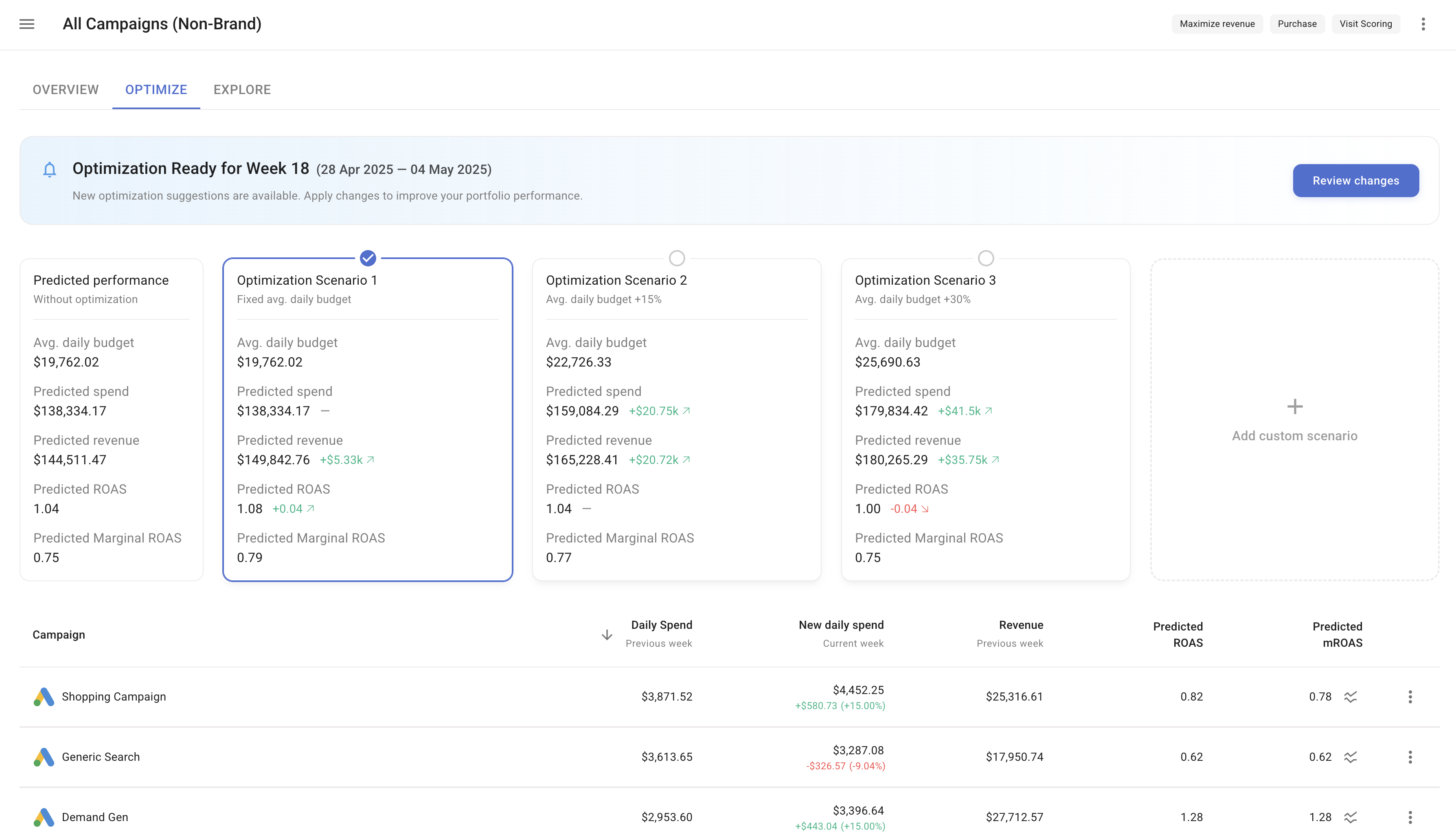
The header section provides an overview of the portfolio’s actual performance during the selected time frame. Key metrics including Spend, Conversions, and CPA are displayed, along with the potential performance for the selected optimization schedule time frame under various budget scenarios.Scenario switcher
Click on any scenario to recalculate the budget allocation recommendations and visualize the potential performance.Default optimization scenarios
- Scenario 1 — Fixed spend: Optimize campaigns by redistributing a budget equivalent to the one used in the selected time frame.
- Scenario 2 — Spend +15%: Recommend a budget adjustment to achieve more conversions by increasing the budget by 15%.
- Scenario 3 — Spend +30%: Recommend a budget adjustment to achieve more conversions by increasing the budget by 30%.
Custom scenarios
If the default scenarios do not fit your budget or business needs, create custom scenarios with your preferred budget by clicking + ADD CUSTOM SCENARIO. Click the More Options icon on the top right corner of each custom scenario for further adjustments.Item list
A list of the campaigns, ad platforms, channels, or custom dimension groups within the portfolio with the following columns:- Daily Spend — Daily ad spend for the set reporting period.
- New Daily Spend — The recommended budget adjustment and proposed spend for the selected time frame.
- Revenue/Conversions — Total revenue or conversions for the selected time frame, depending on the selected strategy.
- Predicted ROAS/CPA — Predicted return on ad spend or cost per action for the selected time frame.
- Predicted mROAS/mCPA — Predicted marginal return on ad spend or cost per action for the selected time frame.
- More — Allows you to delete the item from the portfolio for more targeted optimization of other items.
Apply functionality
SegmentStream allows you to apply the recommended budget changes across your channel portfolio with a single click.1
Select a scenario
Choose the optimization scenario you want to use.
2
Review changes
Click the Review changes button.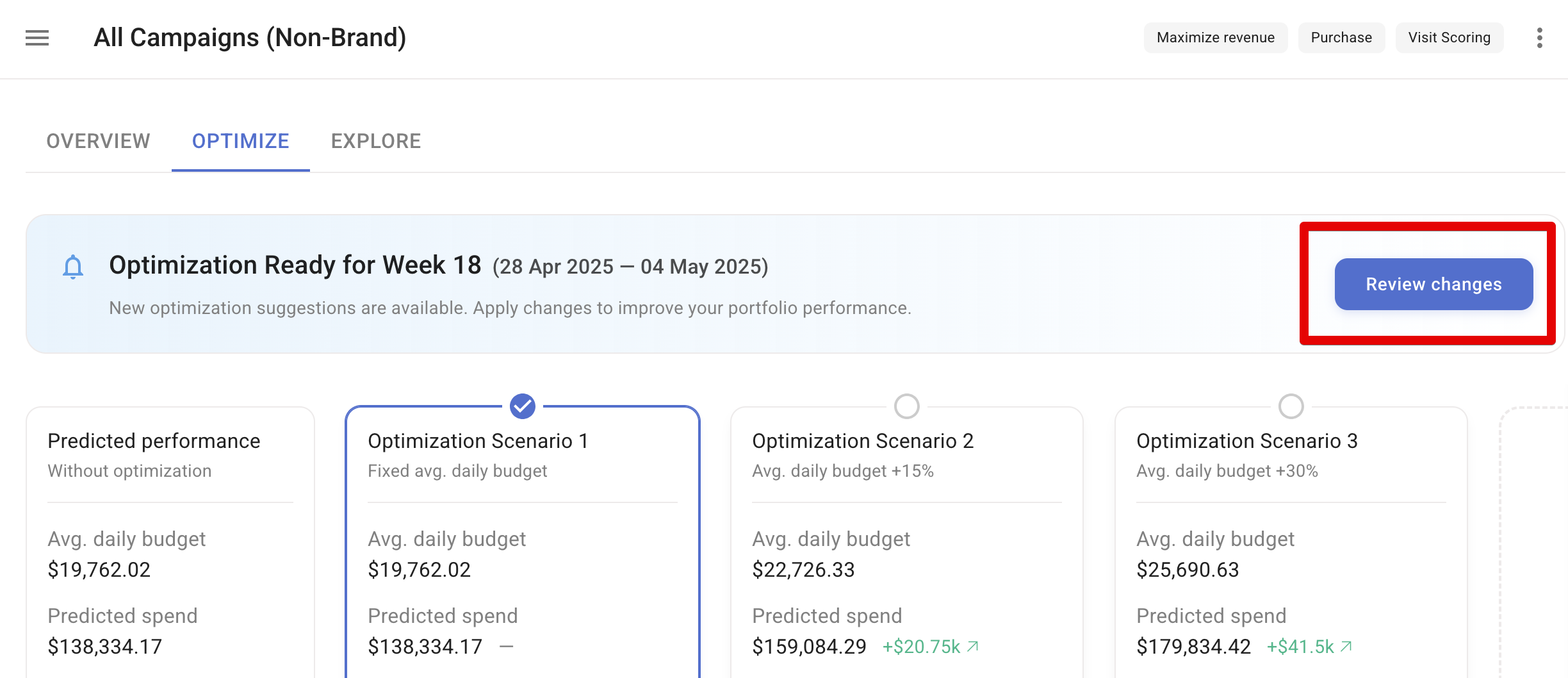
3
Confirm changes
Review and confirm the changes, then click CONFIRM.
4
Changes applied
A message confirms that budget changes have been applied.