

How to open a user-journey exploration
1
Open the Attribution module
Navigate to the Attribution module.
2
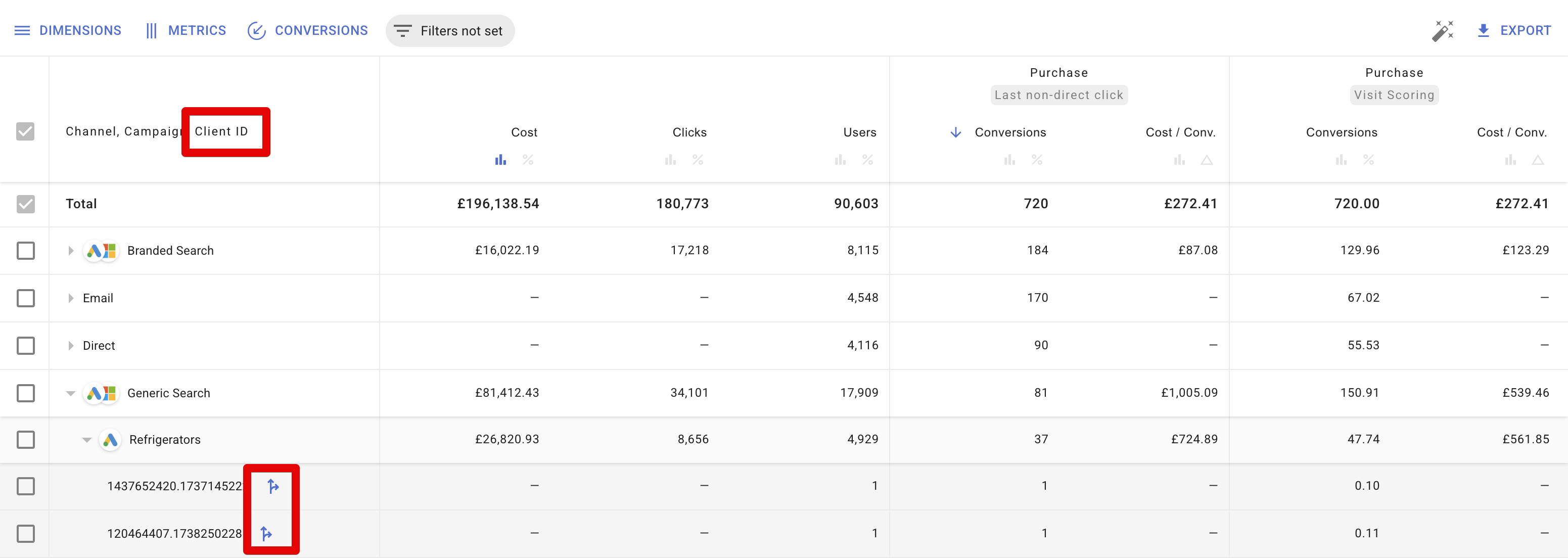
Add a Client ID or User ID dimension
Add one of these dimensions to the report:
- Client ID — shows user journeys on one specific device.
- User ID — shows a cross-device user journey, consolidating sessions from all associated Client IDs. Requires
user_idto be collected in your GA4.
User journey overview
A user-journey exploration displays:- Location and device type/brand
- Session list with the following columns:
- Visit — initial timestamp and client ID.
- Source — the Source/Medium and Campaign that initiated the session.
- Activity — the number of events tracked, session duration, number of conversions, and whether the user may have entered an audience.
Analysing attribution using user-journey explorations
By adding conversions tracked under both Visit Scoring and Last Click attribution models, then including a breakdown by Client ID or User ID, you can compare how each model credits conversions for individual users. This shows how Visit Scoring differs from the standard last-click method. Below are two examples demonstrating how to use user-journey explorations to understand attribution outcomes.Example 1
Scenario: No last-click conversions were recorded for this Client ID, but the Visit Scoring model attributed a score.1
Check the report
The table shows the Last Click model has 0 conversions, while Visit Scoring attributed a score.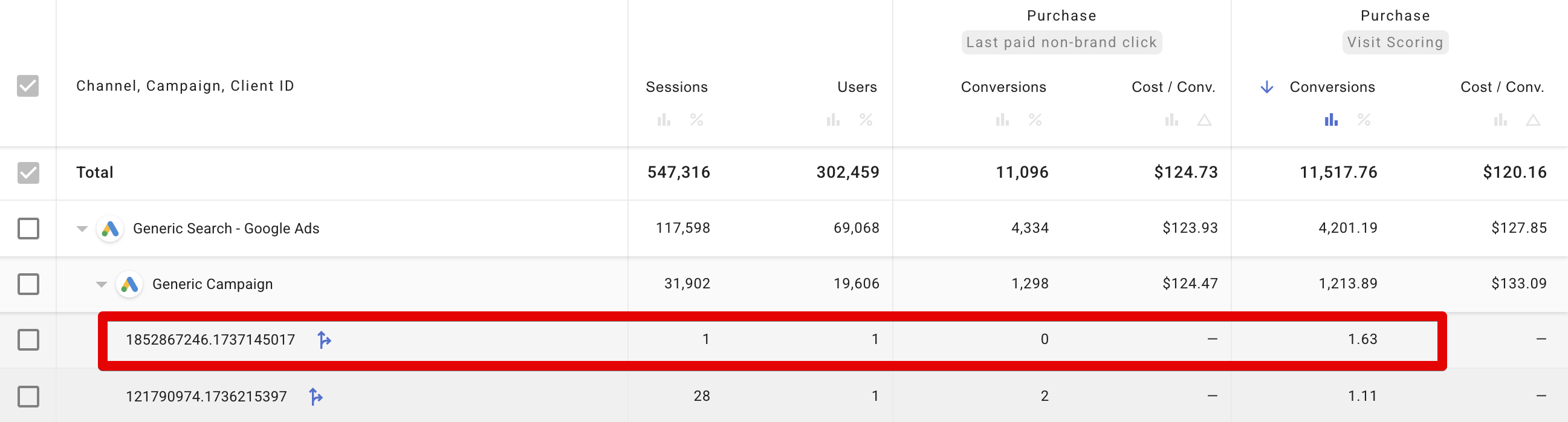
2
Open the user-journey exploration
The user first arrived via a Generic Campaign, then later via a Brand Campaign, indicating research and interest.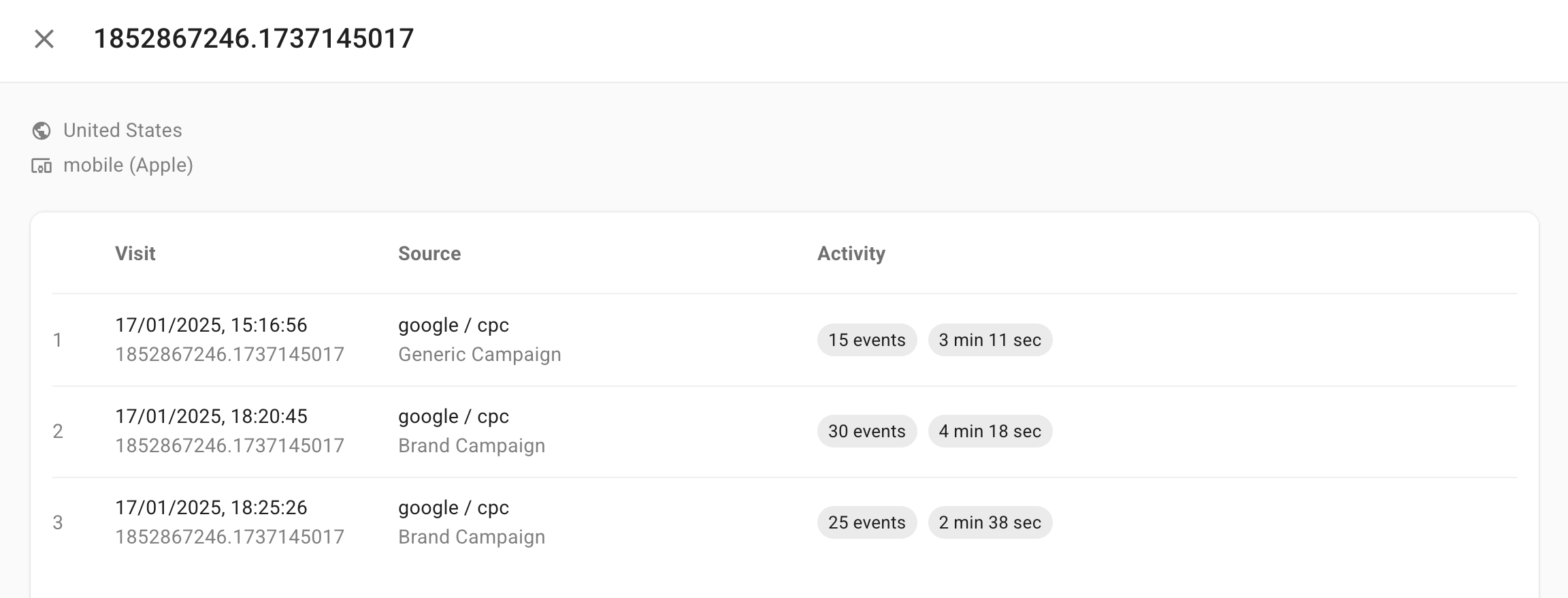
3
Inspect the session details
Expanding each session reveals numerous 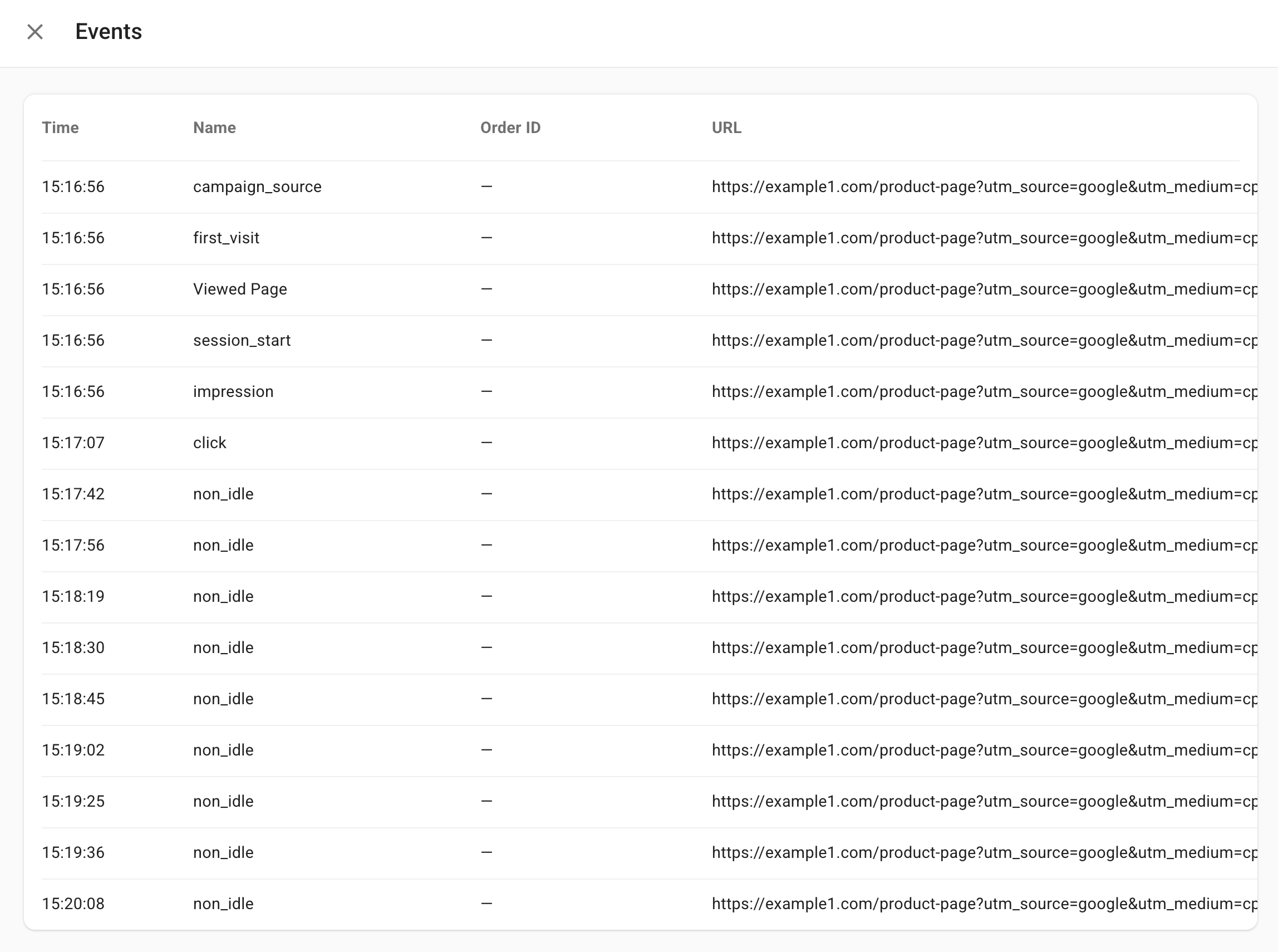
non_idle events, illustrating significant active time on the site.4
Attribution logic
Because the attribution model is configured to consider brand-campaign traffic as less significant, the scoring from those sessions is credited to the Generic Campaign.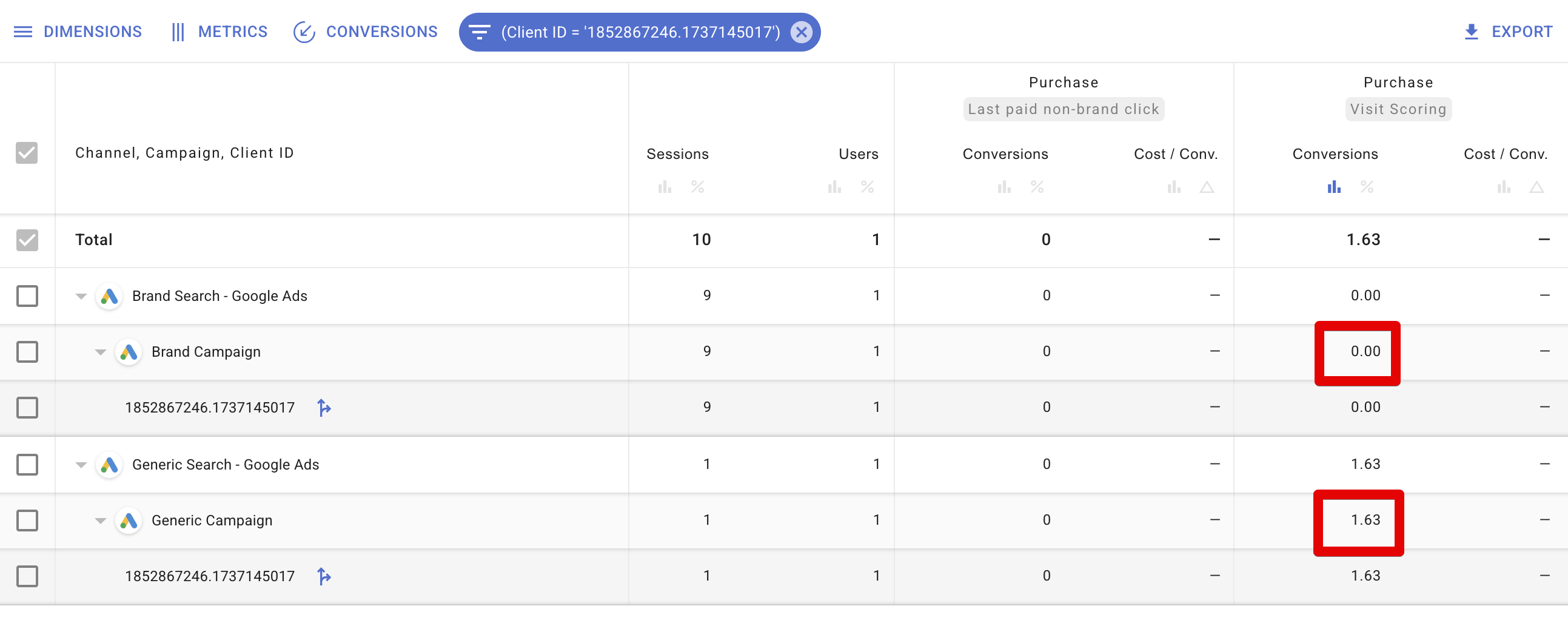
Example 2
Scenario: The Client ID has a Last Click conversion, but the Visit Scoring model awarded no score.1
Check the report
The report shows Last Click attributed a conversion, but Visit Scoring scored it at 0.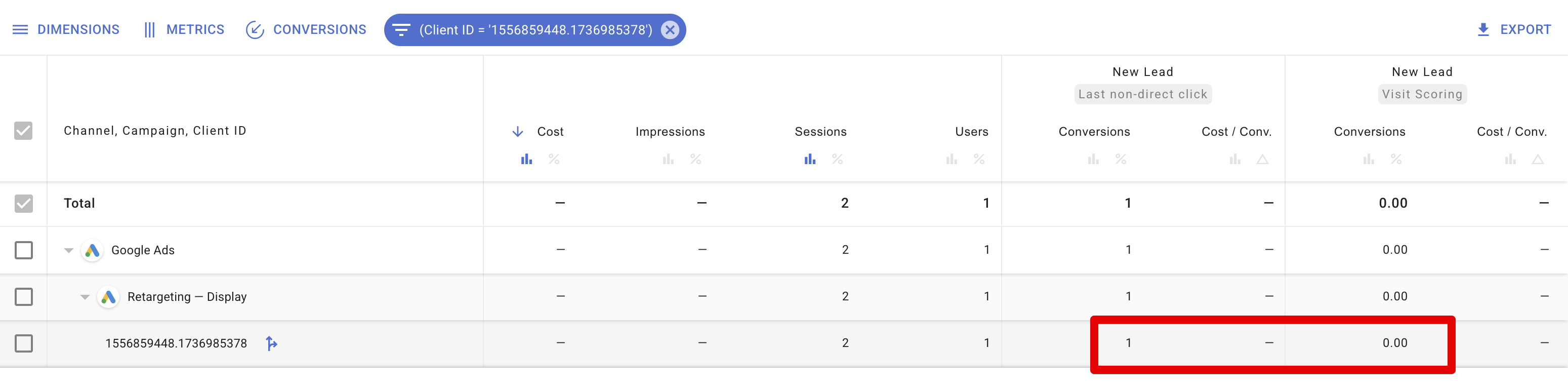
2
Open the user-journey exploration
The user had only one session lasting a single second, during which they converted immediately.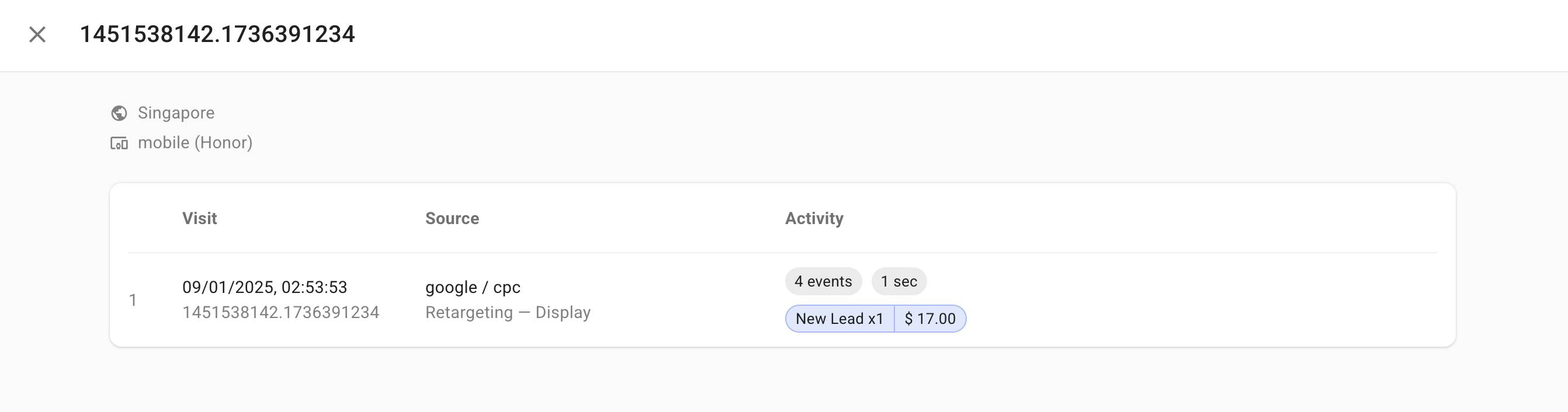
3
Attribution logic
Because the session was so short, the Visit Scoring model treats it as a “fragmented” visit. It infers the purchase decision was influenced by a prior source, so it does not award any score to the campaign associated with this final click.
Key takeaways
- Deeper understanding of Visit Scoring — comparing Last Click and Visit Scoring helps you see how longer or multiple sessions contribute to final conversion credit.
- Actionable insights — user-journey exploration lets you optimise campaigns by identifying which touchpoints truly drive conversions, which are brand navigations, and which might be too short or fragmented for meaningful attribution credit.