

Prerequisites
- A SegmentStream account with access to at least one project
- An MCP-compatible AI tool — Claude.ai, Claude Code, Claude Cowork, Claude Desktop, Codex, Cursor, VS Code, or Windsurf
Setup by tool
- Claude.ai (recommended)
- Claude Cowork
- Claude Code
- Cursor
- VS Code
- Windsurf
- Codex
- Other tools
The fastest way to get started. Once connected in claude.ai, the connection is automatically available in Claude Code, Claude Desktop, and Cowork — no additional setup needed.
1
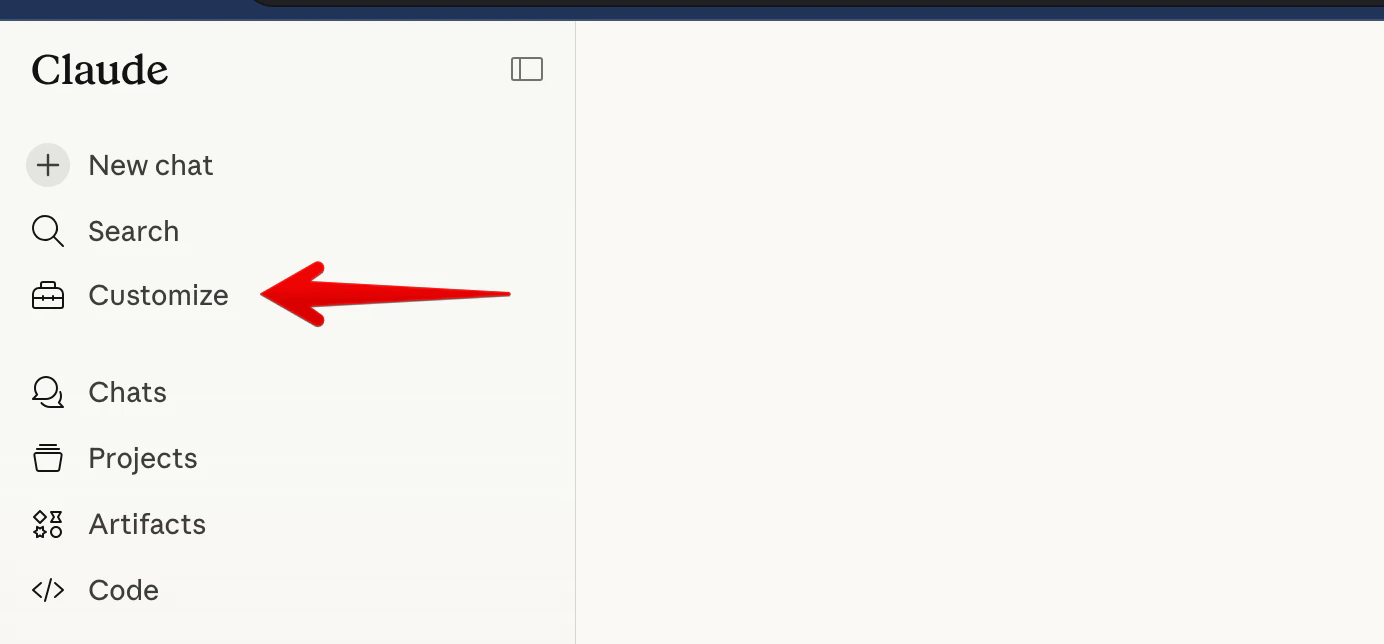
Click Customize
Go to claude.ai and click Customize in the left sidebar.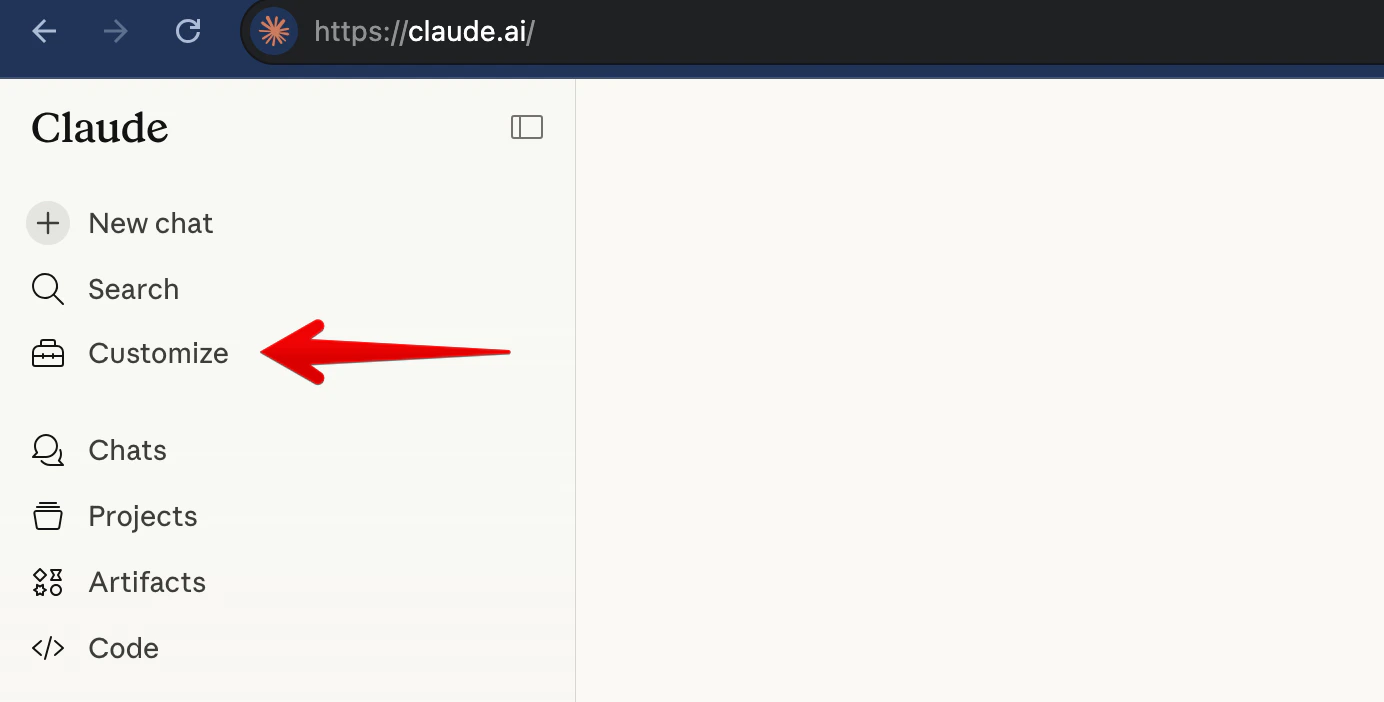
2
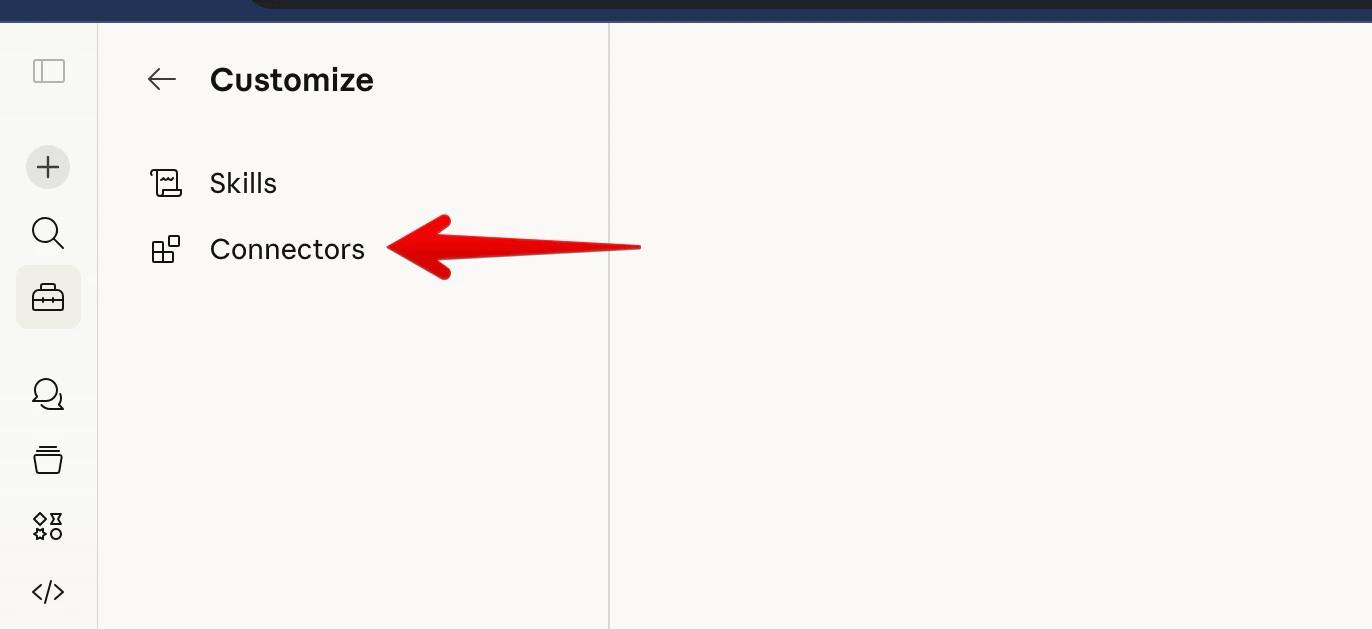
Open Connectors
Click Connectors.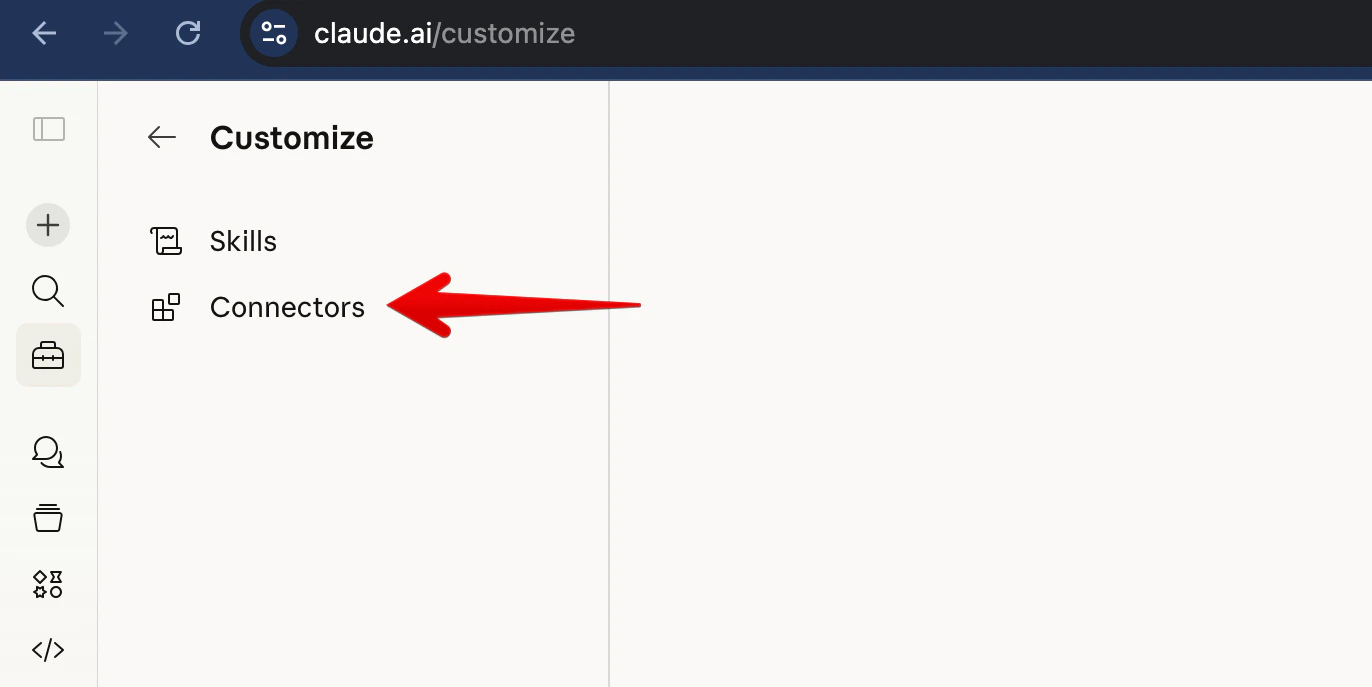
3
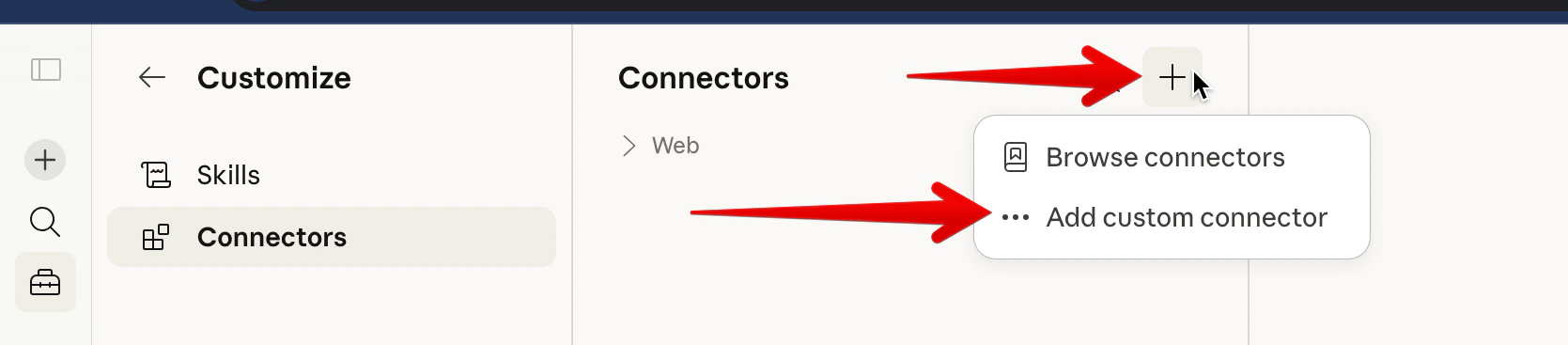
Add a custom connector
Click the + button, then select Add custom connector.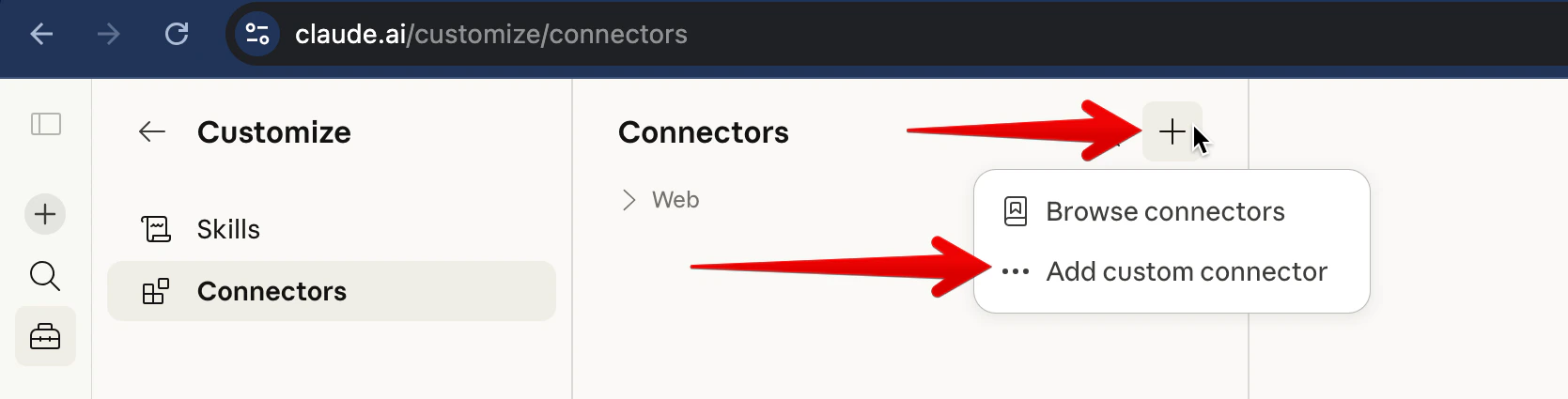
4
Enter the SegmentStream MCP URL
Enter a name (e.g. “SegmentStream”) and paste the server URL, then click Add: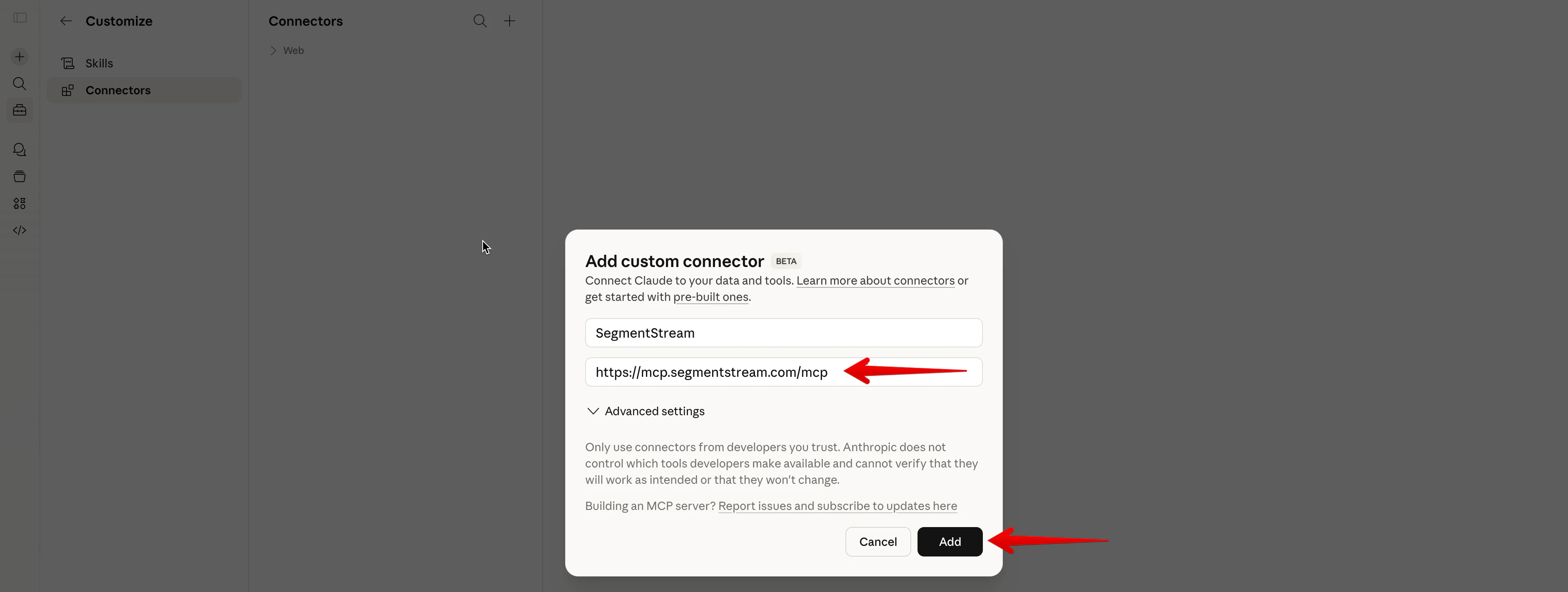
5
Connect
The connector appears as “Not connected”. Click Connect to start the OAuth flow.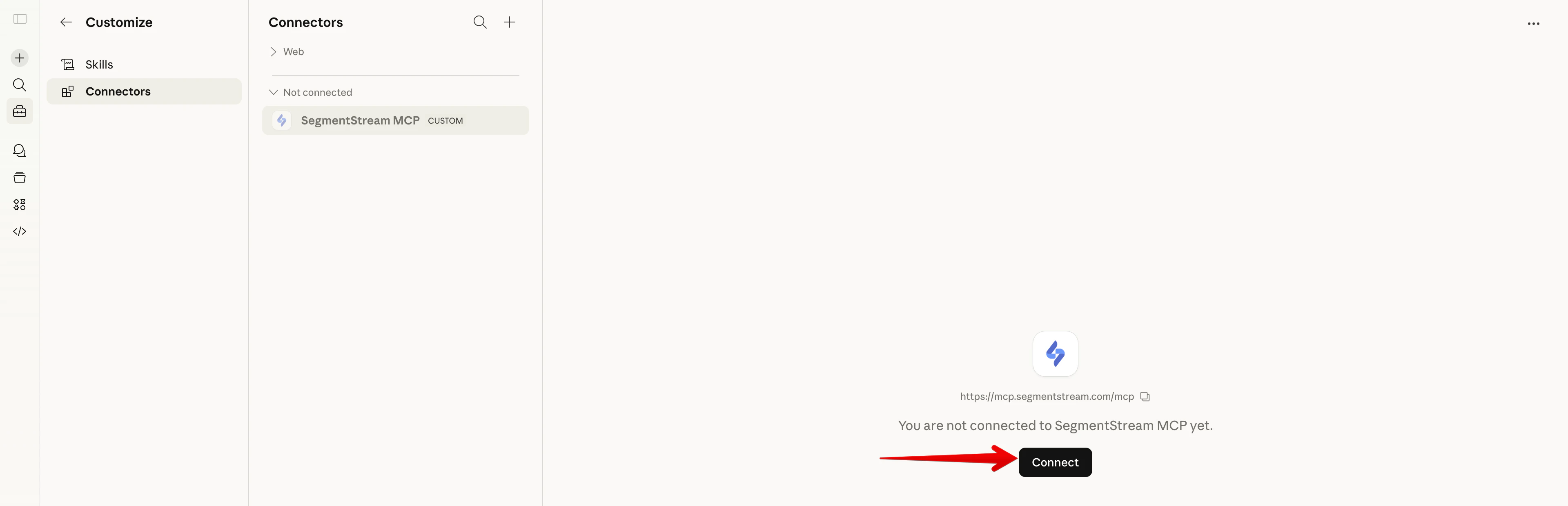
6
Authorize
Sign in with your SegmentStream account and click Allow.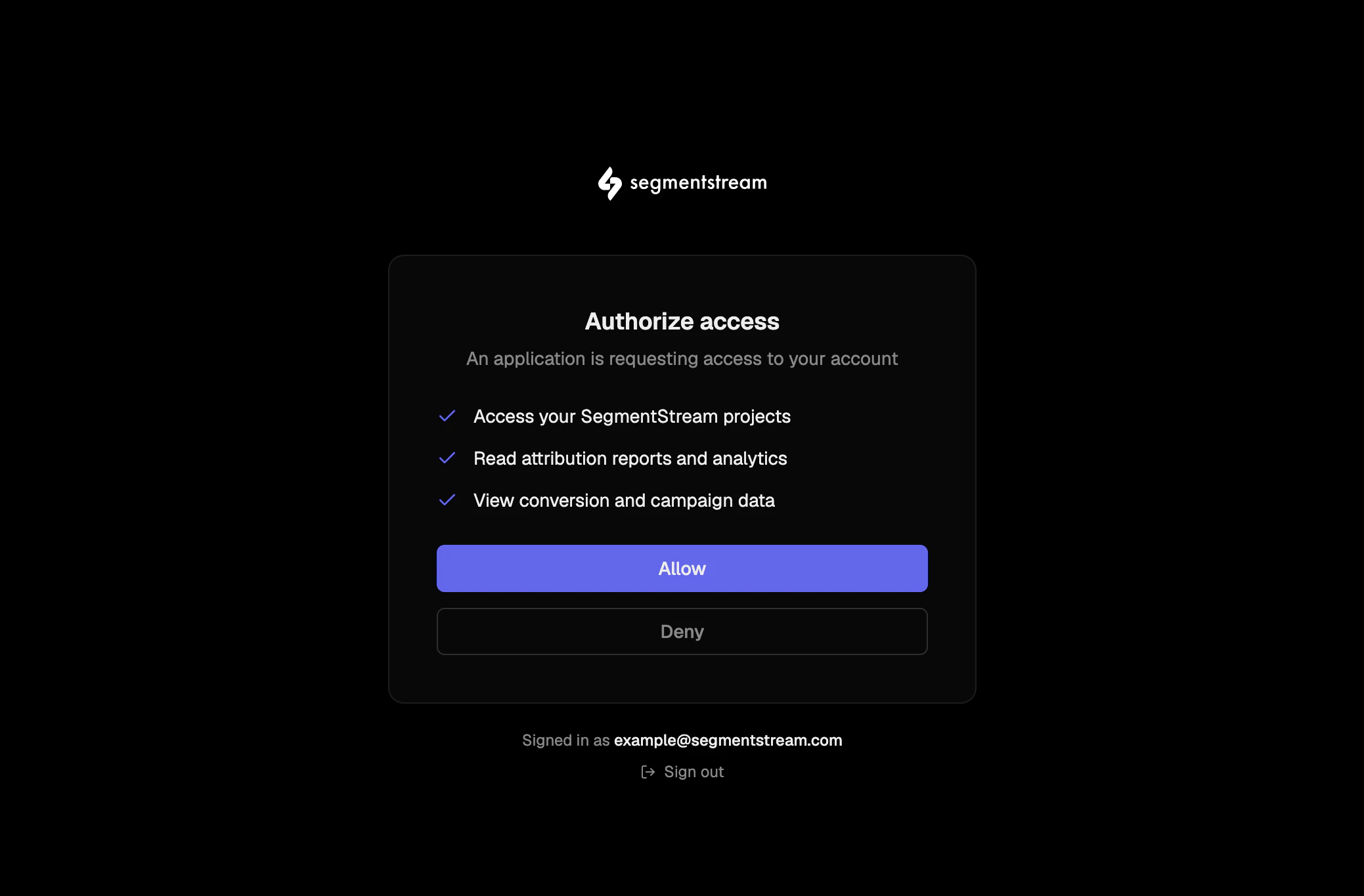
Verify the connection
After setup, test that the connection works by asking your AI assistant:list_active_projects tool and return a list of projects you have access to. If you see your projects, the connection is working.
Troubleshooting
Connection fails
Connection fails
Make sure your AI tool supports MCP and that you’ve restarted it after adding the server configuration.
Tools are not showing up
Tools are not showing up
Some MCP clients need a restart after adding a new server. Close and reopen your AI tool, then try again.
OAuth popup doesn't appear
OAuth popup doesn't appear
Make sure your browser allows popups from the AI tool. Some browsers block popups by default.