

ehash — a hashed version of a user’s email address — as a user identifier to enable cross-device tracking and session stitching in GA4.
By hashing email addresses collected on-site and sending them as an event parameter (ehash) to GA4, you can help SegmentStream’s identity graph more accurately associate sessions and users across devices and channels.
To support this:
- All links in marketing emails should include the
ehashparameter in the URL. - All email addresses captured onsite (e.g., during checkout or signup) must be hashed client-side and sent to GA4 as event parameters.
ehash based cross-device tracking.
Add ehash to email links
When a user submits their email on your site:
- Generate a hash (e.g., using
SHA-256). - Store it in your backend.
- Include the hashed email as a query parameter in all email links:
When a user lands on your site with an
ehash parameter in the URL, SegmentStream automatically captures it — no additional GTM or GA4 configuration is needed for this step.Capture and hash emails from on-site forms
When a user submits an email (e.g., through a popup or signup form), send an event to GA4 along with the ehash event parameter by following these steps:1
Push ehash to the dataLayer
Ask your developers to push an event into the
dataLayer that includes the ehash value whenever a form with an email is submitted, or add the ehash parameter to existing dataLayer events that are already sent on form submission, for example:2
Create a Data Layer Variable for ehash
Inside your GTM, create a Data Layer Variable for
ehash:- Go to Variables then New
-
Name:
DLV - ehash - Type: Data Layer Variable
-
Data Layer Variable Name:
ehash
3
Create a trigger (if needed)
If the dataLayer event is already tracked, skip this step. Otherwise, create a GTM Trigger for the event (in this example,
email_form_submitted):- Go to Triggers then New
- Name:
Trigger - email_form_submitted - Trigger Type: Custom Event
- Event name:
email_form_submitted
4
Create a GA4 tag (if needed)
If the event is already tracked in GA4, skip this step. Otherwise, create a GA4 tag to send the event:
- Go to Tags then New
- Name:
GA4 - email_form_submitted - Tag Type: Google Analytics: GA4 Event
- Configuration Tag: Select your existing GA4 config tag
- Event Name:
email_form_submitted - Triggering:
Trigger - email_form_submitted
5
Add ehash event parameter
In the event that is tracking the form submission, edit the Event Parameters to add:
-
Name:
ehash -
Value:
{{DLV - ehash}}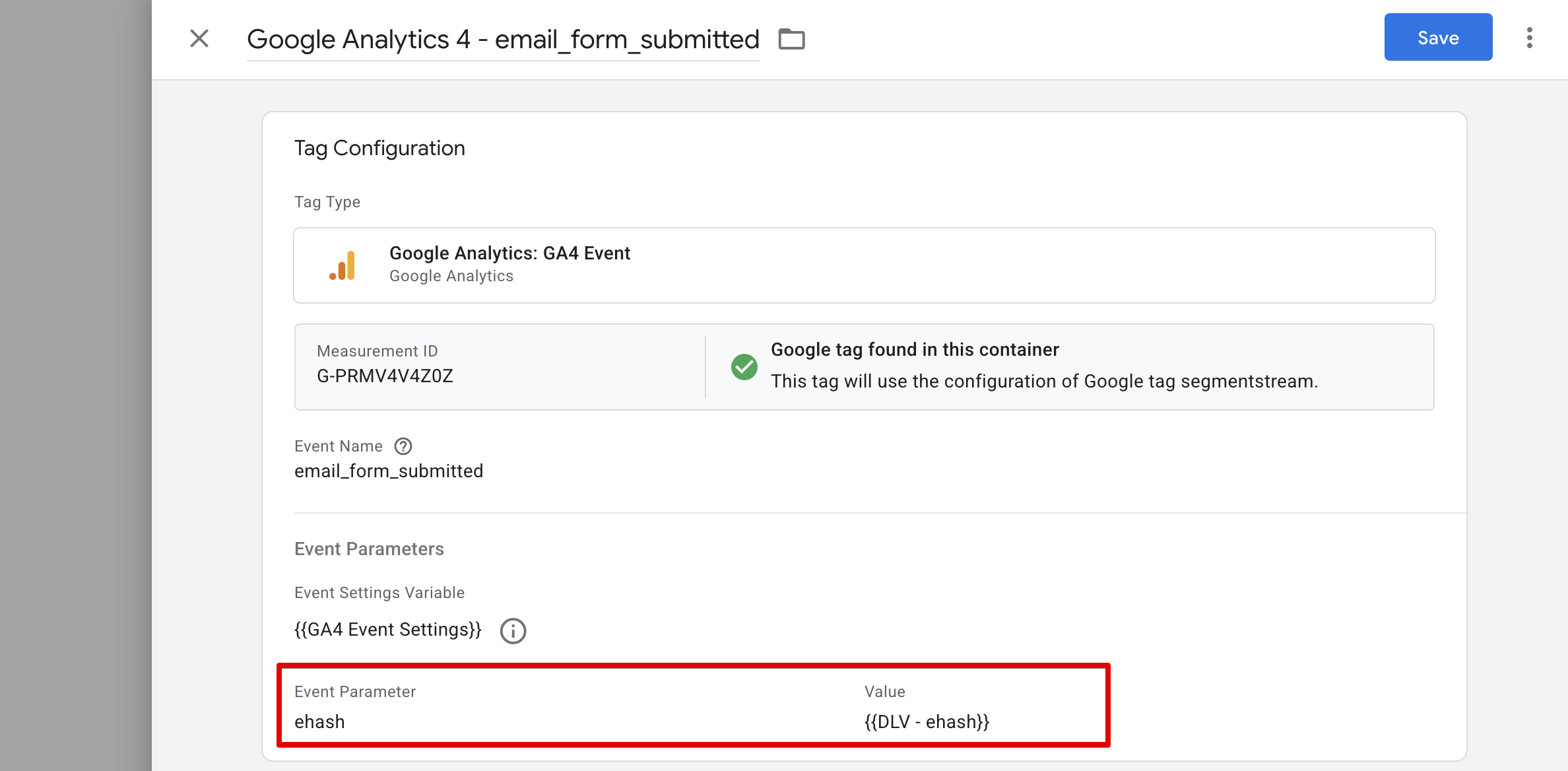
Capture and hash email on checkout
Send an event to GA4 along with the ehash event parameter with the purchase event by following these steps:1
Include ehash in the purchase dataLayer event
Ask your developers to include the
ehash parameter in the purchase event pushed to the dataLayer when a transaction is completed and the user’s email is available.2
Create a Data Layer Variable for ehash
Inside your GTM create a Data Layer Variable for
ehash (if not already created):- Go to Variables then New
-
Name:
DLV - ehash - Type: Data Layer Variable
-
Data Layer Variable Name:
ehash
3
Add ehash to the purchase GA4 tag
Open the GA4 Tag that is tracking the
purchase event and edit the Event Parameters to add:-
Name:
ehash -
Value:
{{DLV - ehash}}