> ## Documentation Index
> Fetch the complete documentation index at: https://docs.segmentstream.com/llms.txt
> Use this file to discover all available pages before exploring further.
# Data sources
> Connect your advertising platforms to SegmentStream to view campaign performance data in reports.
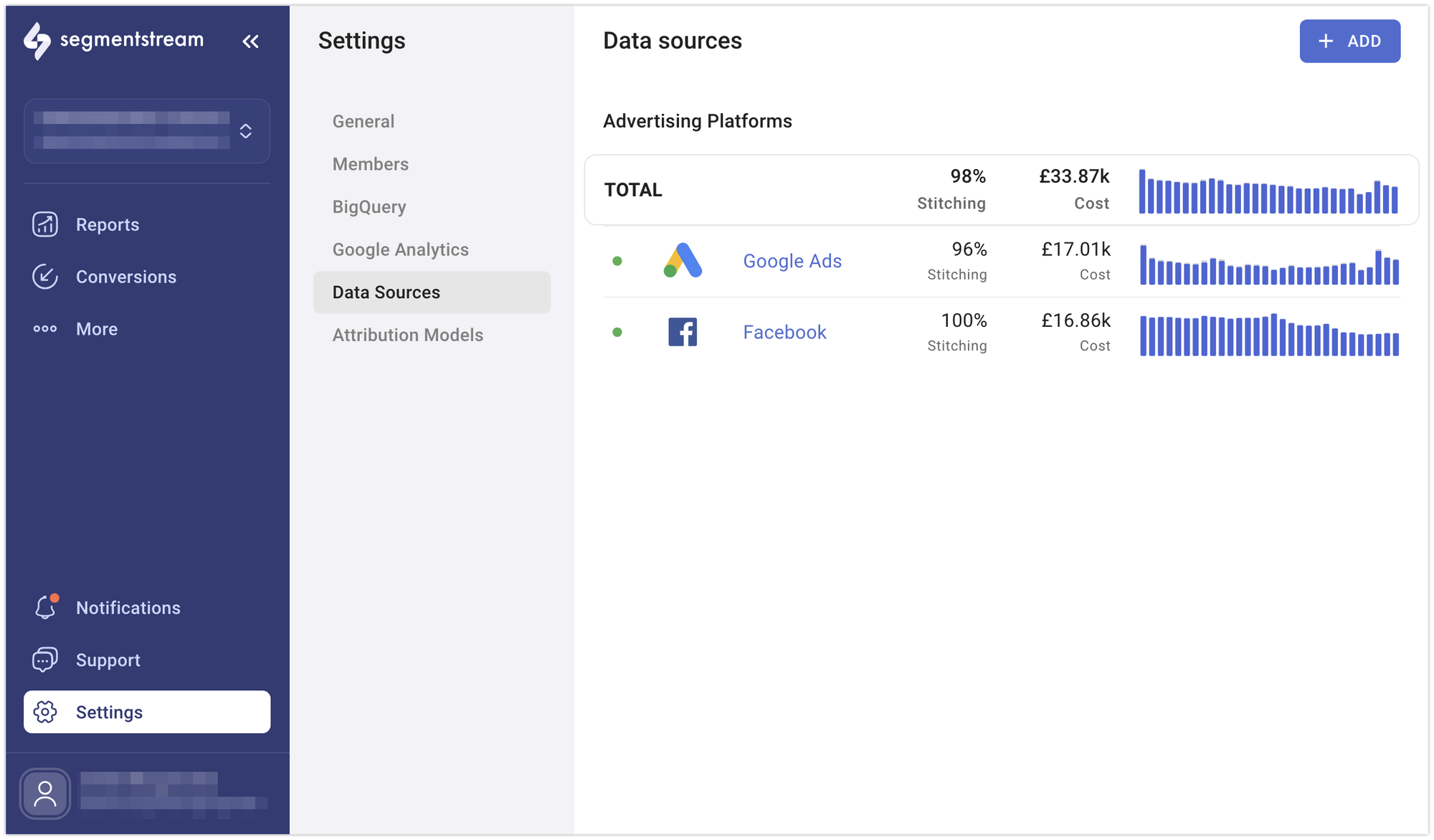
To see how well your online advertising and marketing campaigns are performing, you can connect your advertising platforms to SegmentStream. This allows you to view campaign performance data in SegmentStream reports.
## Connecting a data source
Go to the **Data Sources** page in the **Settings** section of the admin panel.
Select the data source that you wish to connect.
Complete the authorisation process to allow SegmentStream to collect ad platform data.
Pick the accounts you want to connect through the data source.
Provide a unique name for your data source and click **Save**.
 ## Available integrations
Import cost data from Facebook Ads.
Import cost data from Google Ads.
Import cost data from Microsoft Advertising.
Import cost data from LinkedIn Ads.
Import cost data from TikTok Ads.
Import cost data from RTB House.
Import cost data from Pinterest Ads.
Import cost data from Criteo.
Import cost data from Google Display & Video 360.
Import cost data from X Ads.
Import cost data from Awin.
Import cost data from impact.com.
Import cost data from Google Sheets.
Import cost data from Reddit Ads.
Import cost data from Snapchat Ads.
Import CRM data from Hubspot.
## Other supported platforms
The following platforms are also available as data sources through the admin panel. They follow the standard connection process and do not require additional configuration steps:
* AdRoll
* Google Campaign Manager
* OutBrain
* Quora
* Microsoft Dynamics 365
* Pipedrive
* Salesforce
* Appsflyer
* JSON Feed
* Webhook
## Best practices
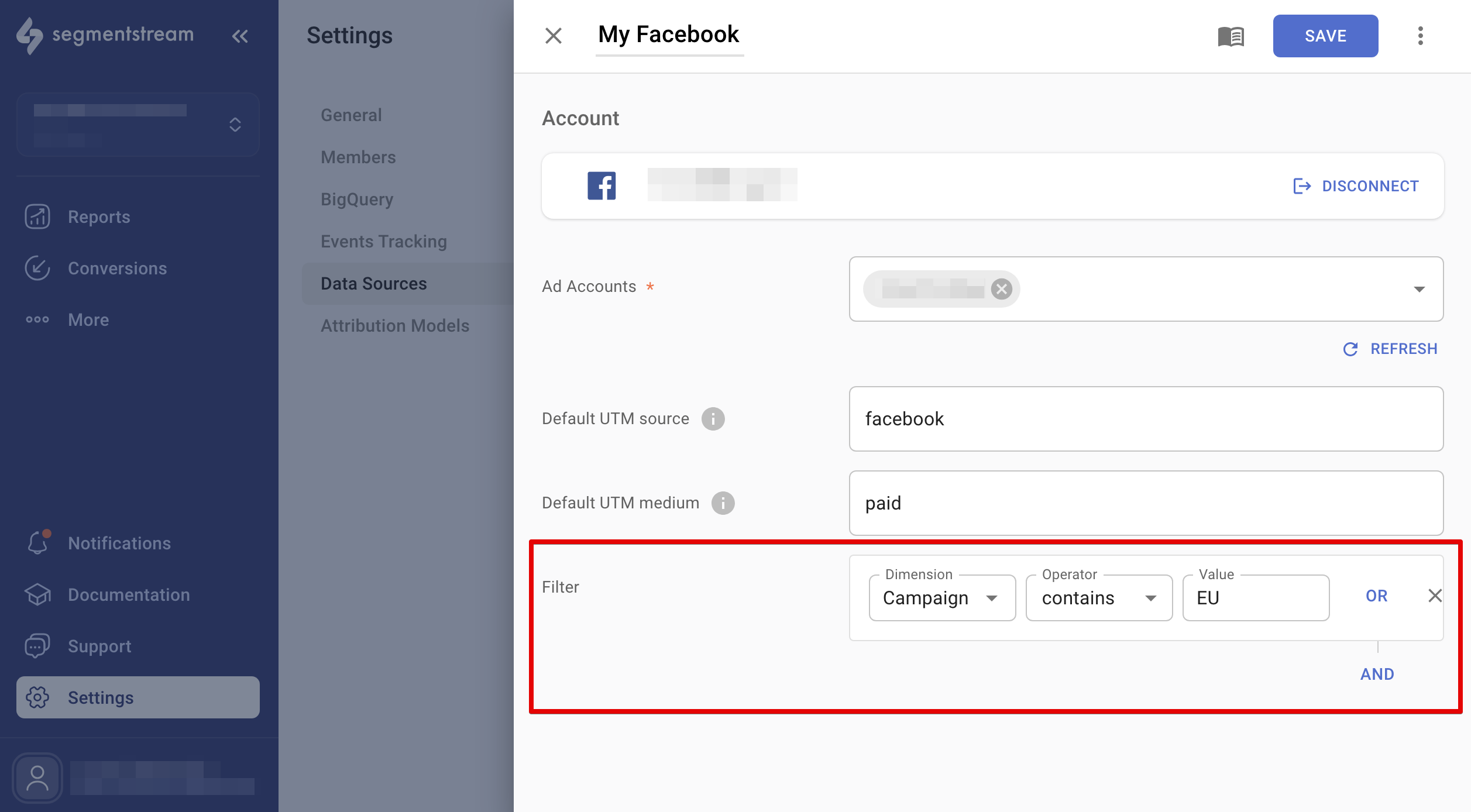
If you run campaigns for multiple websites using one account, you can filter out unwanted websites from reports using the data source filters. This feature works for Google Ads, Facebook Ads, TikTok, and Microsoft Ads. Adjust the settings in each data source, and the changes will reflect in reports the next day.
## Available integrations
Import cost data from Facebook Ads.
Import cost data from Google Ads.
Import cost data from Microsoft Advertising.
Import cost data from LinkedIn Ads.
Import cost data from TikTok Ads.
Import cost data from RTB House.
Import cost data from Pinterest Ads.
Import cost data from Criteo.
Import cost data from Google Display & Video 360.
Import cost data from X Ads.
Import cost data from Awin.
Import cost data from impact.com.
Import cost data from Google Sheets.
Import cost data from Reddit Ads.
Import cost data from Snapchat Ads.
Import CRM data from Hubspot.
## Other supported platforms
The following platforms are also available as data sources through the admin panel. They follow the standard connection process and do not require additional configuration steps:
* AdRoll
* Google Campaign Manager
* OutBrain
* Quora
* Microsoft Dynamics 365
* Pipedrive
* Salesforce
* Appsflyer
* JSON Feed
* Webhook
## Best practices
If you run campaigns for multiple websites using one account, you can filter out unwanted websites from reports using the data source filters. This feature works for Google Ads, Facebook Ads, TikTok, and Microsoft Ads. Adjust the settings in each data source, and the changes will reflect in reports the next day.
 ## Untracked clicks
When SegmentStream detects that clicks from a campaign in a connected ad platform data source cannot be matched with any sessions on the website, it generates a notification to highlight this issue.
This typically occurs when the URLs used in your ads lack the required tracking parameters or when certain sections of your website do not have proper or complete implementation of the tracking code.
## FAQ
If you have questions about data sources, check the [Data sources FAQ](/project-configuration/data-sources/faq).
Contact the support team if you need help connecting a data source.
## Untracked clicks
When SegmentStream detects that clicks from a campaign in a connected ad platform data source cannot be matched with any sessions on the website, it generates a notification to highlight this issue.
This typically occurs when the URLs used in your ads lack the required tracking parameters or when certain sections of your website do not have proper or complete implementation of the tracking code.
## FAQ
If you have questions about data sources, check the [Data sources FAQ](/project-configuration/data-sources/faq).
Contact the support team if you need help connecting a data source.